Designing ARIA, an AI Engineer for Technicians
ARIA is an agentic AI assistant that lets technicians investigate building issues, pull equipment data, reference manuals, and submit tickets. All in one conversation.
Building ARIA from zero
BrainBox AI's core product optimizes building HVAC systems autonomously. But when something went wrong, technicians still diagnosed it the old way: physical manuals, phone calls, and site visits.
When I joined BrainBox AI, ARIA didn't exist yet. I built it from 0: defined the concept, established the interaction model, created the design system, and shaped how technicians would actually use it day-to-day.
As the only designer, I owned ARIA end to end: research synthesis, interaction and visual design, the design system, voice UX, and prototyping.
Diagnosis is slow, and expertise is scarce
Research came through the people closest to the field. Sales and project managers spoke with technicians and facility managers daily, and I synthesized their notes and call feedback into the core problems below. Once ARIA launched, a Teams channel with our first technician users became my direct line to them, and we review every piece of feedback together.
Diagnosing and maintaining building equipment is slow and expensive. Each step lives in a separate system, and many site visits turn out to be for issues that weren't critical.
Underneath it is a staffing problem. Skilled HVAC technicians are scarce, and junior staff are often sent out without the experience to diagnose what they find.
Technicians didn't need another dashboard. They needed a senior engineer they could ask.
Manuals & parts: designing around a backend that wasn't ready
The idea was simple: a technician asks about a unit, and the manual, parts list, and replacement parts appear right in ARIA's answer. But the backend that would let the chat retrieve that data was still being built. Technicians needed the information now, so the question was what to ship in the meantime without building something we'd throw away.
Options we considered
What I chose: The side panel, designed to outlast the workaround. Once the backend is ready, ARIA's answers can open the same panel for anything too big for a chat message, like source manuals, parts lists, or charts.
Technicians search step by step instead of just asking, which is slower than the ideal. However, they get manuals and parts in one place months earlier, and engineering could build the backend without design blocking it.
From blank input to agentic workflow
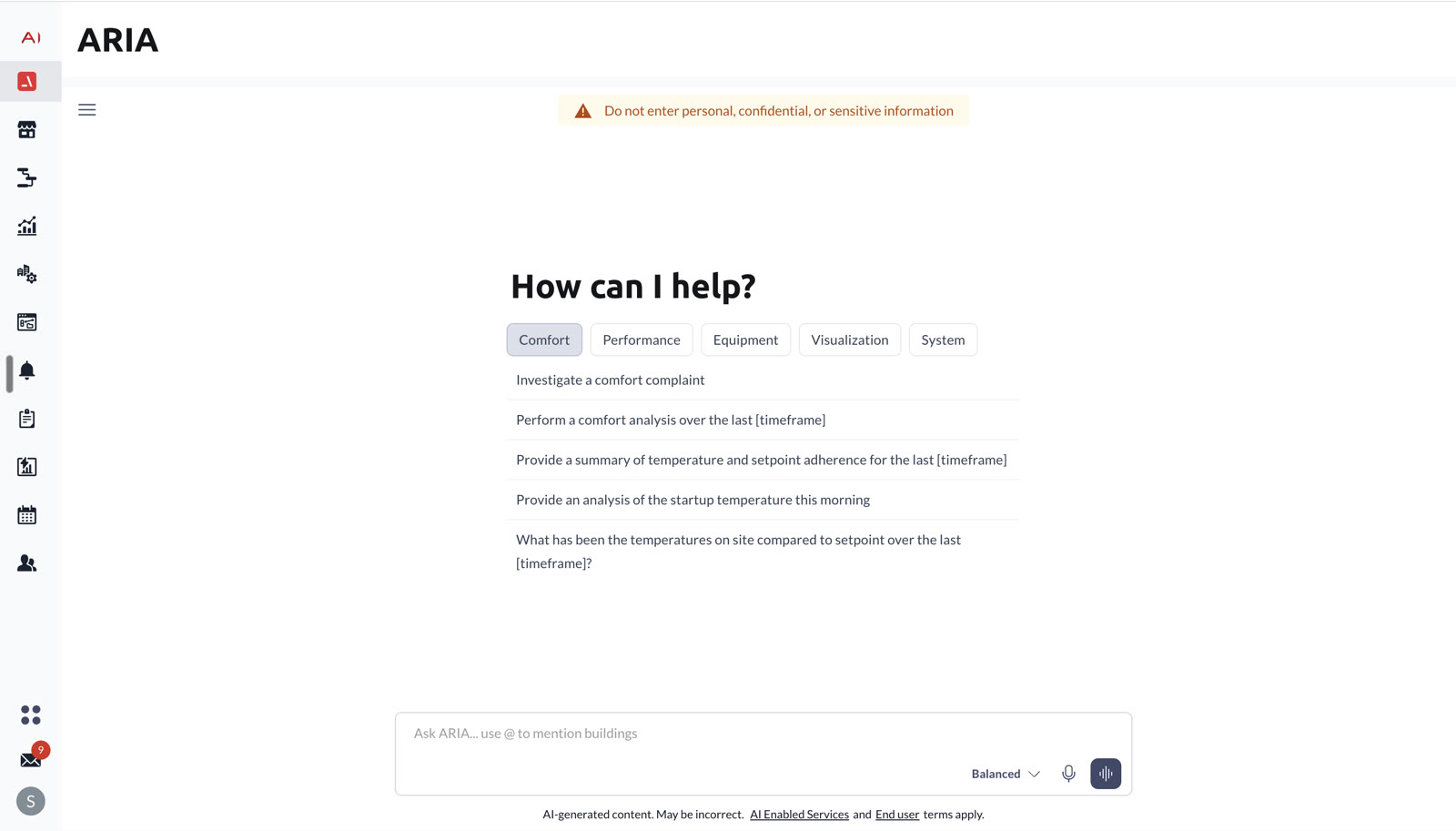
- ①Prompt starters are categorized by workflow type and mapped directly to the 5 most common tasks from research, reducing blank-page anxiety.
- ②The building list appears when the user types @ or picks a prompt that needs a building. This gives the LLM the context to answer accurately.
- ③@mention was chosen over a global dropdown because building context is set per message, so users can @ a different building mid-conversation and switch context without leaving the thread.
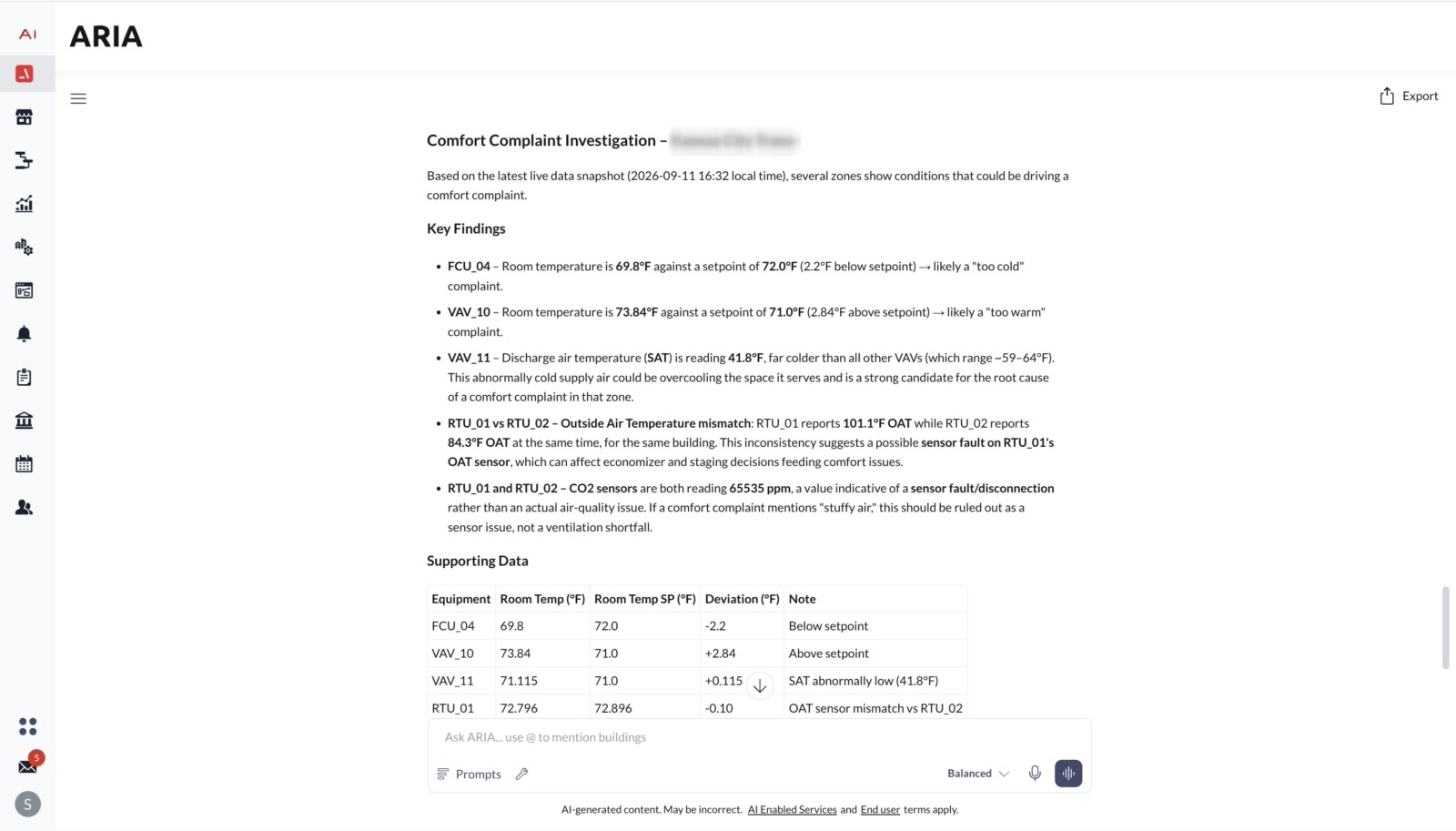
- ①AI responses use H2/H3 headers and bullet lists rather than prose. Technicians scan for information, and this mirrors how investigation reports are written in the industry.
- ②Copy sits on each response for quick single findings. Export sits at the session level for sharing the full analysis.
- ③Inline thumbs feedback closes the quality loop on AI responses without interrupting the workflow.
- ①Charts render inside the conversation, not in a separate dashboard tab. Technicians stay in context instead of switching to a visualization tool.
- ②Time-range brush at the bottom lets technicians scrub the date range without re-prompting, a direct manipulation affordance in a conversational UI.
- ①The search follows how technicians think about a repair: start with the unit, then the manual, narrow to the part, and then the replacement.
- ②The panel opens beside the chat so the technician keeps their conversation in view while looking something up.
- ③Built to outlast the workaround: when chat retrieval ships, ARIA's answers will open this same panel for anything that needs more room, like manuals, charts, or PDFs.
- ①ARIA can submit a Zendesk ticket to the support team directly from the conversation without leaving to a separate system. This closes the workflow loop: diagnose → decide → escalate.
- ②Human checkpoint before submission: ARIA shows a summary of the ticket and asks the technician to approve.
- ③Tickets arrive with the conversation and diagnosis attached, so support picks up where ARIA left off instead of asking the user to explain the issue again.
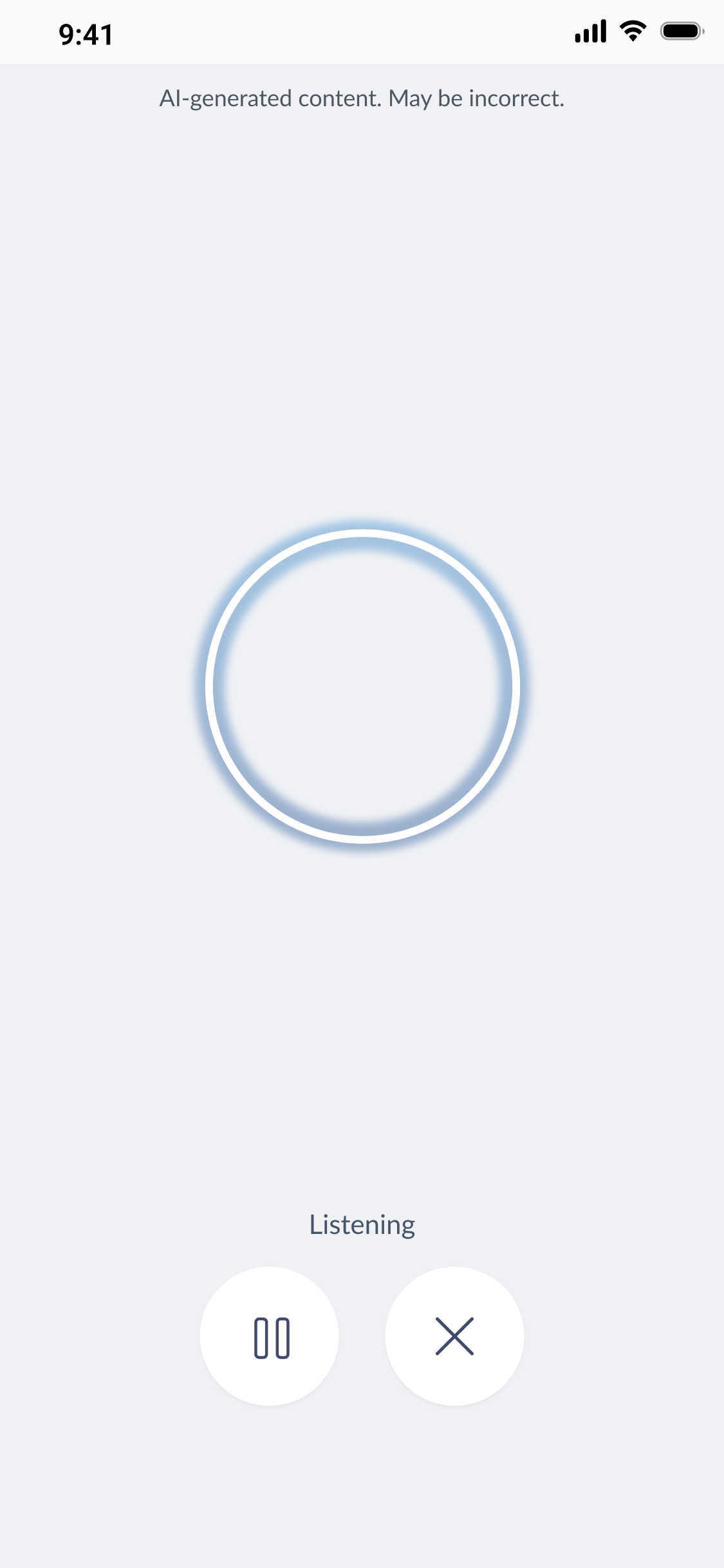
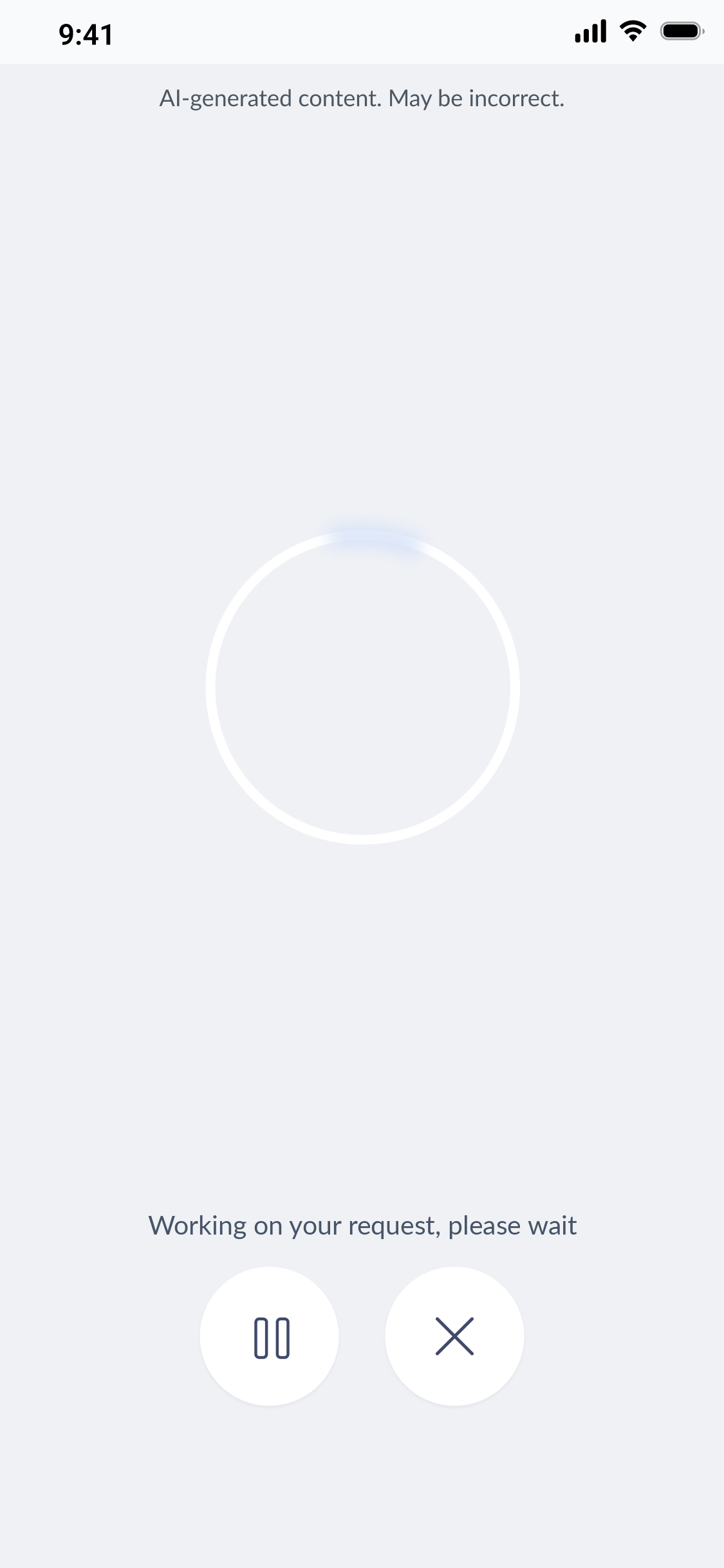
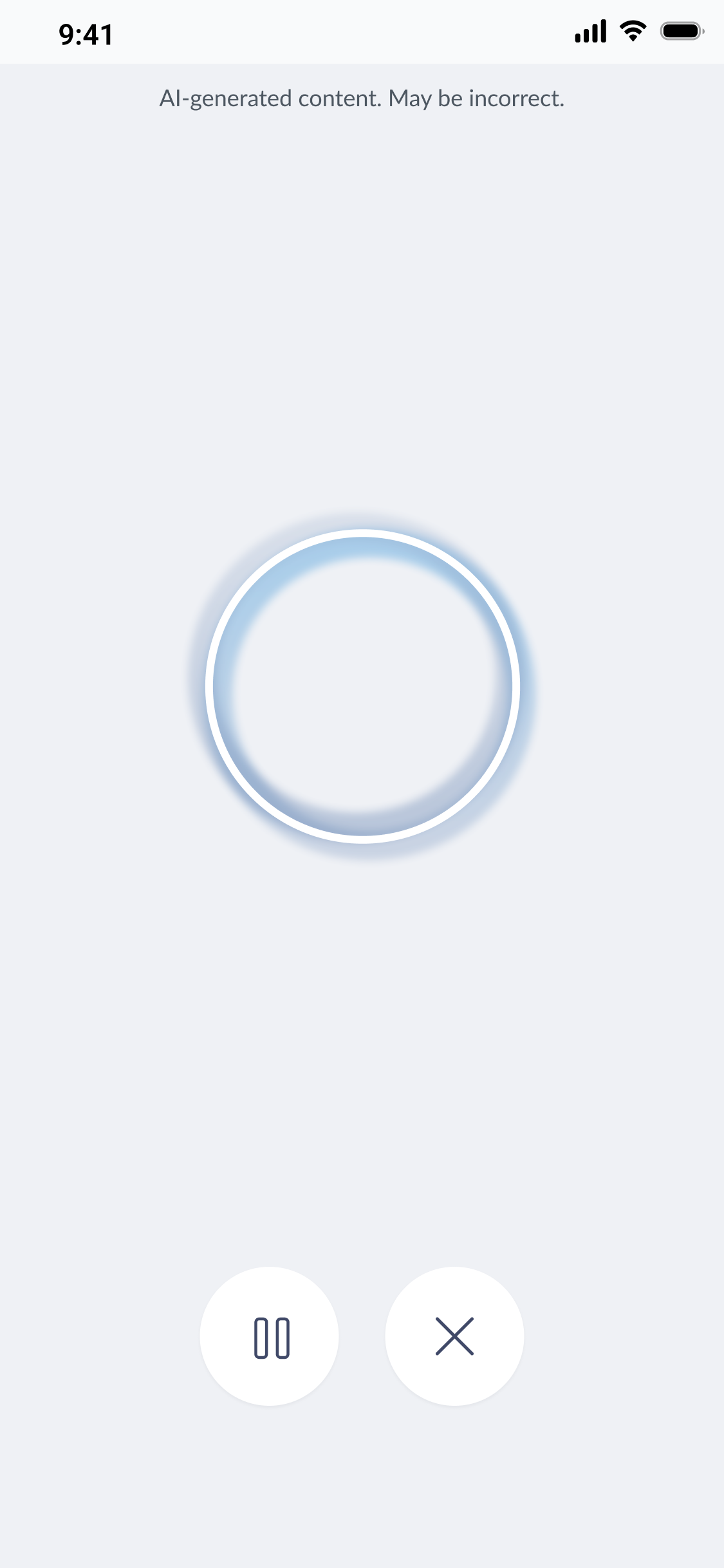
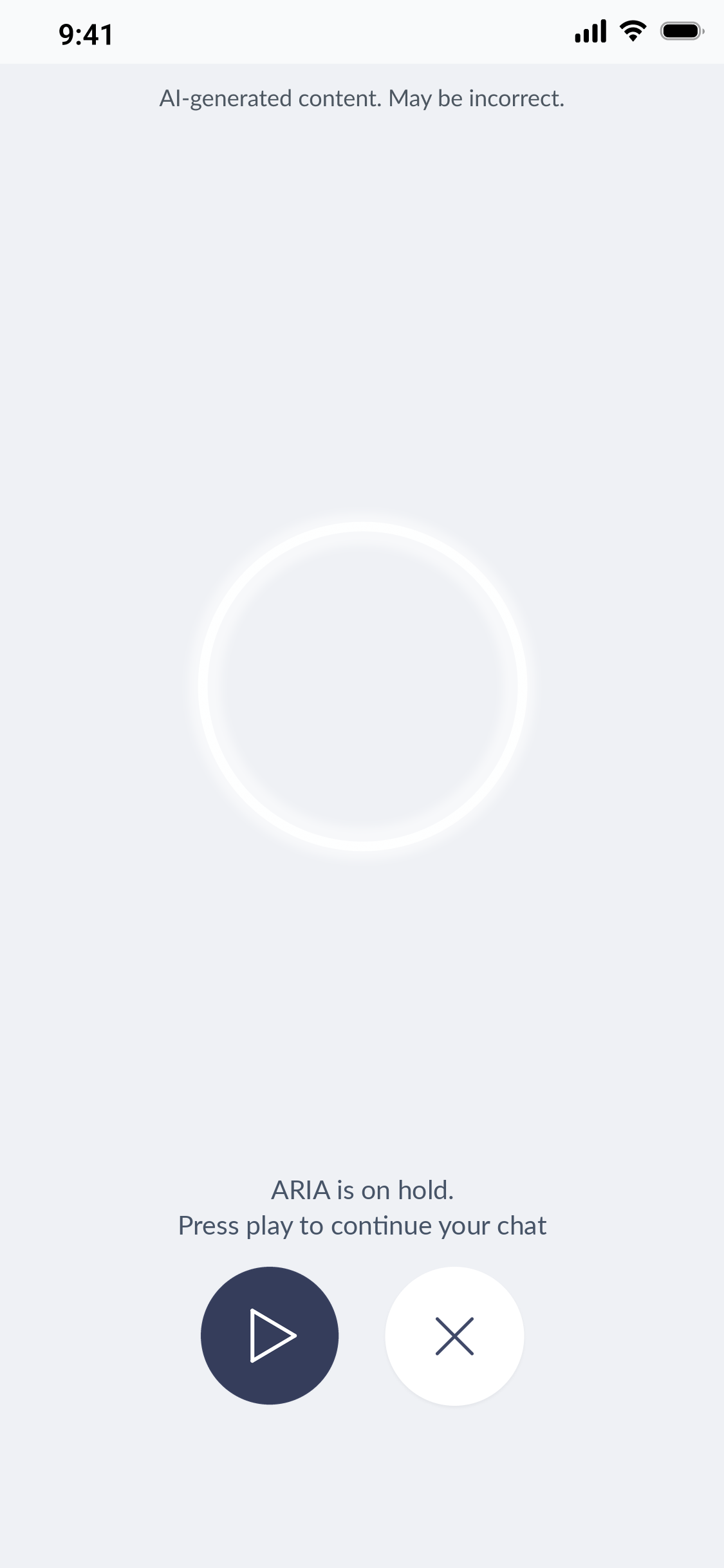
- ①Four distinct animation states give the technician continuous feedback on where the AI is in its process.
- ②The “processing” state animation (a soft arc travelling around the ring) was designed to feel calm rather than urgent.
- ③Voice input enables hands-free use for technicians working physically on equipment.
What it moved
ARIA taught me that the most useful AI doesn't live in a chat window, it lives inside the work a technician is already doing. I'm currently mapping how jobs get done across Building Management System, internal and external, so agentic AI shows up as features and not as another panel to open or turn off.